Welcome to our Resource Hub
Here for you every step of the way.
Deployment Playbook
- Step 1 - Initial Trial
- Step 2 - Pilot
- Step 3 - Project Team
- Step 4 - Technical Setup & Integrations
- Step 5 - Hardware
- Step 6 - Governance
- Step 7 - Users & Training
- Step 8 - Business Case
- Step 9 - Procurement, Contract & Pricing
Initial Trial & Evaluation
Our Recommendation
If you’ve not done so already, we suggest you do an informal trial (or ‘pre-pilot trial’) of the app by getting your hands on an iPad and downloading the app from the Apple App Store for free.
While you can’t sign off cases without an account, it’s ideal for trauma simulation scenarios to assess its suitability for your team. Data remains secure on the device and can be fully deleted after use to comply with governance. Check out our demos or training resources to equip your team to have a go now.
Pilot
6 Month Free* Pilot
Following successful initial trial and validation of the solution, you can move towards running a 6 Month pilot in your Emergency Department.
*The Software Licence is offered free during the period of the pilot, with reduced setup and integration fees depending on requirements.
The Pilot enables fully integrated use of the Trauma App live in Resus, experiencing all the benefits and evaluating/validating its full deployment post-pilot
Project Initiation Document (PID)
This is a document sometimes required which initially outlines the plan and purpose for deploying the Trauma App into your Trauma Care workflow. It can set the ball rolling and ensure you have clearance to proceed to set up a Project Team, etc. Find out from your CCIO or equivalent to understand the relevant stages required from your Hospital.
Team
Our Recommendation
To streamline the process, we highly recommend forming a project team to lead deployment of the Trauma App into a formal pilot phase. Below, we’ve outlined who typically takes responsibility for each area, helping you identify key roles within your hospital. There will be a member of the Trauma App team assigned to your deployment and able to join your kickoff and monthly meetings.
- Senior Responsible Officer – A senior individual should be named as overall project lead, sometimes referred to as the senior responsible officer (SRO) for the project. Depending on local context this may be the Chief Clinical Information Officer, Chief Nursing Information Officer (CNIO), or Director of Innovation etc.
- Clinical Lead – A Clinical lead should be assigned to the project. This will usually be a consultant and performed alongside usual clinical duties.
- Trauma App Champion – Usually a Trauma Coordinator, or senior level Nurse who, in support of the clinical lead, drives the deployment and adoption of the tool
- Technical Lead – Required to oversee software services setup and integration into hospital IT systems/environment.
- Governance & Procurement – This can be one or multiple people who have oversight of Clinical Safety, Data & Security Protection, and procurement requirements.
Technical Setup & Integrations
Software Services & Data Storage
Trauma case data generated by the app is hosted entirely on the hospital’s servers and set up by the Trauma App Integrations team in collaboration with your eHealth/IT team, ensuring that data remains within the hospital’s ecosystem for complete customer control.
The app allows for offline data collection on an iPad, with regular syncing to the cloud for continuity, and upon case closure, verified data is transferred to the cloud and deleted from the device.
Integrations
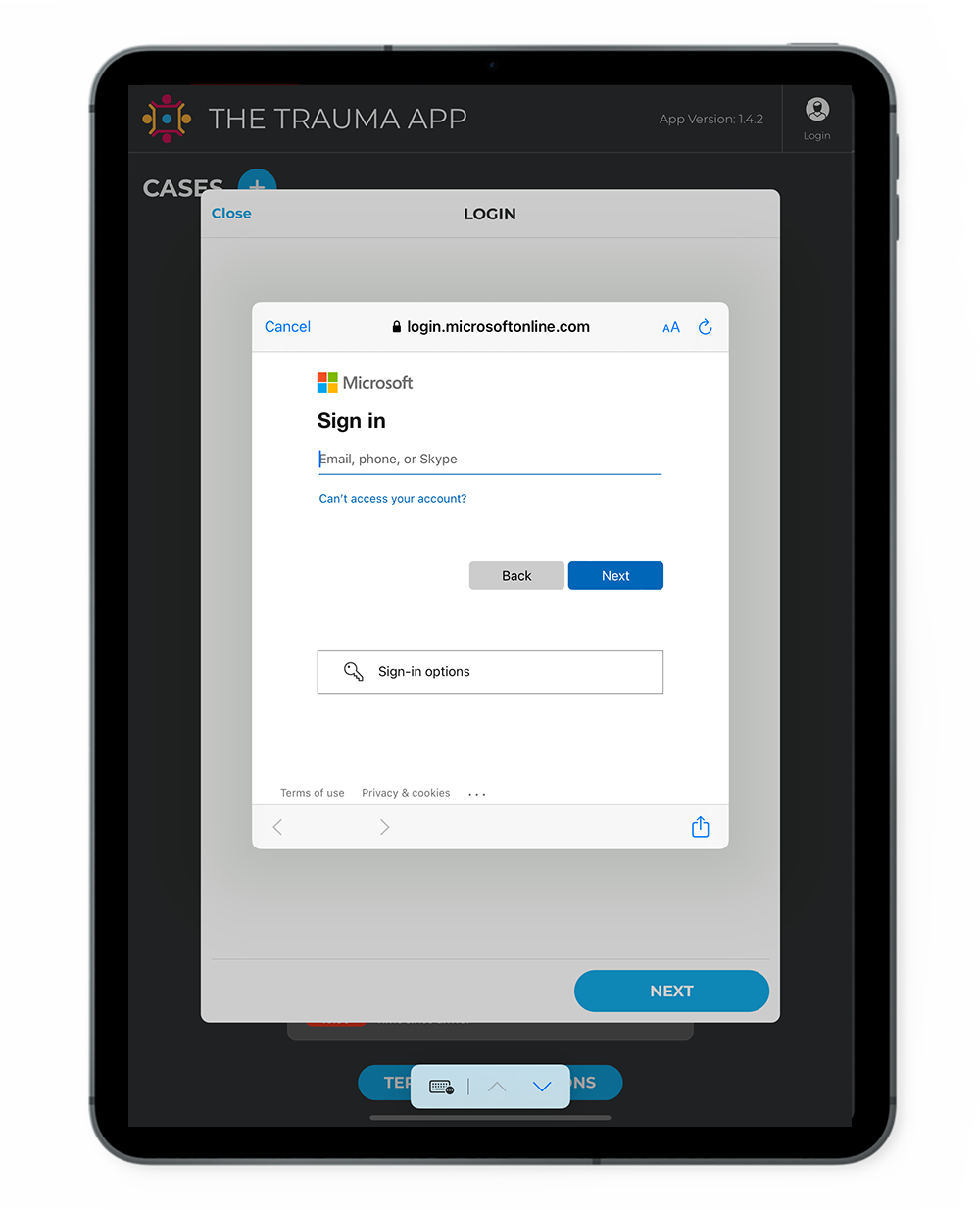
- Authentication – Utilises your existing identity management system allowing staff to login using credentials they are familiar with.
- Patient Identity – Verify patient details through a lookup service (e.g. CHI Lookup in Scotland, or NHS Number via the Spine network in England). The Trauma App supports identifier lookup from demographics or demographics from patient identifier
- EPR Document repository – Push PDF case reports into the hospital’s EPR.
- EPR Direct – Push structured data into the hospital’s EPR. Pull physiology, interventions, notes, results etc. from the hospital’s EPR.
We recommend you engage your eHealth/IT team early in the process to look over the Project and System description document and set up a call with the Trauma App integrations team to discuss the options.
Hardware
What you'll need
You will need to ensure you source the following devices and equipment to use the Trauma App software, which is an iOS iPad application.
- iPads – You will need to have at least 1 iPad (8th generation or higher) per resus bay, and 1 spare for the department. Some hospitals choose to operate with multiple iPads during a single case.
- Charging Station – You are required to have a charging station capable of charging all iPads at once.
- Device Management – If not already in place, remote management systems (e.g. ‘Workspace ONE‘ or Microsoft InTune) can be installed to ensure that passcodes and auto updates are enabled for safety and security purposes.
- Wifi printer – It is a clinical safety risk mitigation to ensure that the final report can be printed to follow the patient in the event that the final report can’t be automatically uploaded to the Electronic Patient Record (EPR).
Governance
Meeting regulatory requirements
In order to adhere with clinical safety and data security regulations the following documents will be highly likely part of your hospital’s Governance process. Whilst it may feel a daunting prospect, these documents are necessary to meet regulatory requirements and ensure you implement the app safely, securely and smoothly into your ED. Templates and supporting documents are available upon request.
Clinical Risk Management Plan
Evidencing that the Trauma App has a suitable clinical risk management plan, including a Clinical Safety Case Report.
Business Continuity Plan (BCP)
This is to ensure that the hospital’s critical services continue during and after disruptions while using the App, aiming to minimise impact on patient care and facilitate a quick return to normal operations. Your governance/safety team will also require evidence of a suitable disaster recovery plan from us as the application supplier.
SSP (System security policy)
For evaluating the data security of the incoming application.
DPIA (Data Impact Assessment Agreement)
Looking at the data impact of using the app in your centre and where responsibility lies for processing and controlling the data.
Safety Hazard Log (Risk & Issues Log – RAID)
Trauma App adheres to DCB0129 (Clinical Safety Standard). Adopting centres must follow DCB0160, which involves evaluating clinical hazards and mitigating risks, such as ensuring team training and maintaining paper backups. To assist with clinical safety obligations, we provide a joint DCB0129/0160 hazard log as the application supplier for your clinical safety/governance team.
Users & Training
Training
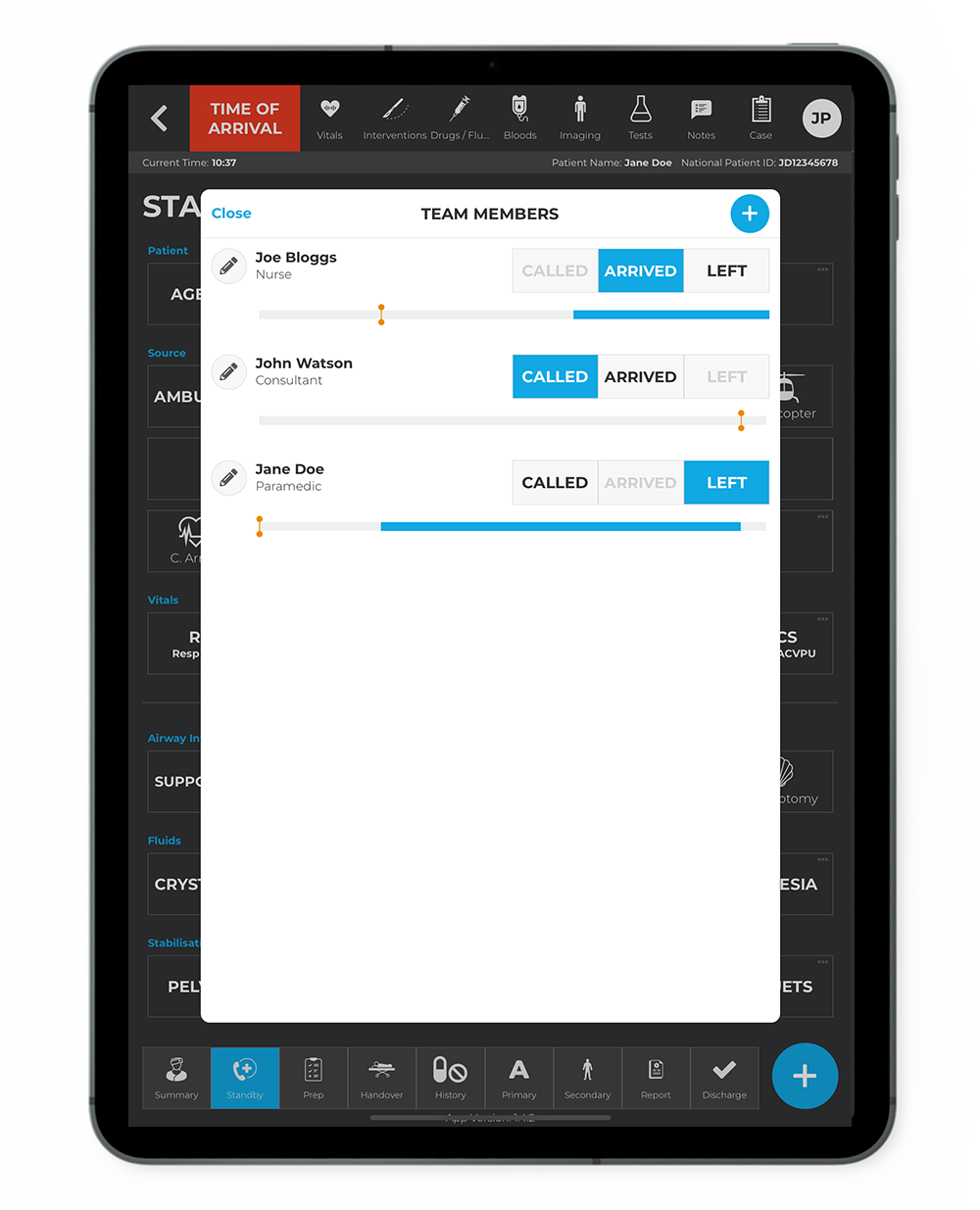
Trauma App integrates seamlessly into existing trauma teams, covering documentation typically handled by scribes in UK trauma booklets. The main challenge for scribes is adapting to the new data capture processes, for which you have free access to the training videos and guides here. You can also request a qualified scribe to join you at a simulation and provide bespoke training for your team.
Users
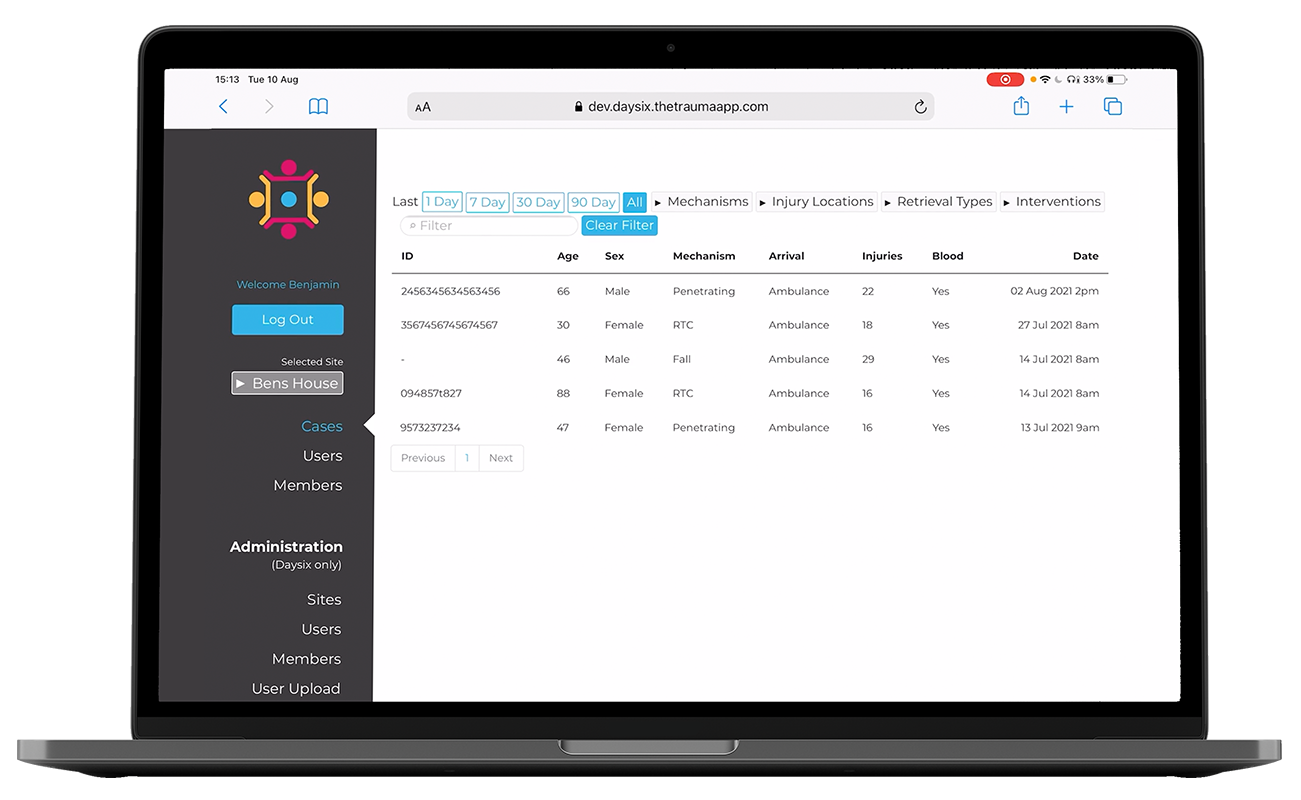
You will get access to the Dashboard online portal once your site is set up with the Trauma App.. This allows you to add (or bulk upload) users with varying permissions of access from administration, case input, and case involvement.
Other SOP & Policies
Depending on your hospital’s requirements you may be required to create additional SOPs and Policies, for example, as it relates to outcomes of your DCB0160 or other onboarding documentation process.
Business Case
Make Your Case
This is a key document required in order to obtain board/trust level approval to proceed with the onboarding process of the App beyond the Pilot phase. The business case format varies between different health boards, but generally follows this ‘Five Case Model’ for evaluation:
You’ll need to provide evidence that the Trauma App is…
- Supported by a robust Case for Change – the strategic case;
- Able to deliver Value for Money – the economic case;
- Commercially viable – the commercial case;
- Financially affordable – the financial case; and
- Capable of being delivered – the management case.
Procurement, Contract & Pricing
The Final Step
You will need to review the pricing and, together with the Trauma App team and your Hospital Procurement team, formalise a draft proposal and licence agreement as suited to the level of setup and integrations agreed.
Note: Piloting the app for 6 months comes with a free software licence and reduced setup costs to support evaluation and validation of the tool for procurement beyond the pilot.
Framework
We’re also listed on the G-Cloud-14 UK Government public sector procurement framework which offers you a faster way of buying software services.
Deployment Playbook
- Step 1 - Initial Trial
- Step 2 - Pilot
- Step 3 - Project Team
- Step 4 - Technical Setup & Integrations
- Step 5 - Hardware
- Step 6 - Governance
- Step 7 - Users & Training
- Step 8 - Business Case
- Step 9 - Procurement, Contract & Pricing
Initial Trial & Evaluation
Our Recommendation
If you’ve not done so already, we suggest you do an informal trial (or ‘pre-pilot trial’) of the app by getting your hands on an iPad and downloading the app from the Apple App Store for free.
While you can’t sign off cases without an account, it’s ideal for trauma simulation scenarios to assess its suitability for your team. Data remains secure on the device and can be fully deleted after use to comply with governance. Check out our demos or training resources to equip your team to have a go now.
Pilot
6 Month Free* Pilot
Following successful initial trial and validation of the solution, you can move towards running a 6 Month pilot in your Emergency Department.
*The Software Licence is offered free during the period of the pilot, with reduced setup and integration fees depending on requirements.
The Pilot enables fully integrated use of the Trauma App live in Resus, experiencing all the benefits and evaluating/validating its full deployment post-pilot
Project Initiation Document (PID)
This is a document sometimes required which initially outlines the plan and purpose for deploying the Trauma App into your Trauma Care workflow. It can set the ball rolling and ensure you have clearance to proceed to set up a Project Team, etc. Find out from your CCIO or equivalent to understand the relevant stages required from your Hospital.
Team
Our Recommendation
To streamline the process, we highly recommend forming a project team to lead deployment of the Trauma App into a formal pilot phase. Below, we’ve outlined who typically takes responsibility for each area, helping you identify key roles within your hospital. There will be a member of the Trauma App team assigned to your deployment and able to join your kickoff and monthly meetings.
- Senior Responsible Officer – A senior individual should be named as overall project lead, sometimes referred to as the senior responsible officer (SRO) for the project. Depending on local context this may be the Chief Clinical Information Officer, Chief Nursing Information Officer (CNIO), or Director of Innovation etc.
- Clinical Lead – A Clinical lead should be assigned to the project. This will usually be a consultant and performed alongside usual clinical duties.
- Trauma App Champion – Usually a Trauma Coordinator, or senior level Nurse who, in support of the clinical lead, drives the deployment and adoption of the tool
- Technical Lead – Required to oversee software services setup and integration into hospital IT systems/environment.
- Governance & Procurement – This can be one or multiple people who have oversight of Clinical Safety, Data & Security Protection, and procurement requirements.
Technical Setup & Integrations
Software Services & Data Storage
Trauma case data generated by the app is hosted entirely on the hospital’s servers and set up by the Trauma App Integrations team in collaboration with your eHealth/IT team, ensuring that data remains within the hospital’s ecosystem for complete customer control.
The app allows for offline data collection on an iPad, with regular syncing to the cloud for continuity, and upon case closure, verified data is transferred to the cloud and deleted from the device.
Integrations
- Authentication – Utilises your existing identity management system allowing staff to login using credentials they are familiar with.
- Patient Identity – Verify patient details through a lookup service (e.g. CHI Lookup in Scotland, or NHS Number via the Spine network in England). The Trauma App supports identifier lookup from demographics or demographics from patient identifier
- EPR Document repository – Push PDF case reports into the hospital’s EPR.
- EPR Direct – Push structured data into the hospital’s EPR. Pull physiology, interventions, notes, results etc. from the hospital’s EPR.
We recommend you engage your eHealth/IT team early in the process to look over the Project and System description document and set up a call with the Trauma App integrations team to discuss the options.
Hardware
What you'll need
You will need to ensure you source the following devices and equipment to use the Trauma App software, which is an iOS iPad application.
- iPads – You will need to have at least 1 iPad (8th generation or higher) per resus bay, and 1 spare for the department. Some hospitals choose to operate with multiple iPads during a single case.
- Charging Station – You are required to have a charging station capable of charging all iPads at once.
- Device Management – If not already in place, remote management systems (e.g. ‘Workspace ONE‘ or Microsoft InTune) can be installed to ensure that passcodes and auto updates are enabled for safety and security purposes.
- Wifi printer – It is a clinical safety risk mitigation to ensure that the final report can be printed to follow the patient in the event that the final report can’t be automatically uploaded to the Electronic Patient Record (EPR).
Governance
Meeting regulatory requirements
In order to adhere with clinical safety and data security regulations the following documents will be highly likely part of your hospital’s Governance process. Whilst it may feel a daunting prospect, these documents are necessary to meet regulatory requirements and ensure you implement the app safely, securely and smoothly into your ED. Templates and supporting documents are available upon request.
Clinical Risk Management Plan
Evidencing that the Trauma App has a suitable clinical risk management plan, including a Clinical Safety Case Report.
Business Continuity Plan (BCP)
This is to ensure that the hospital’s critical services continue during and after disruptions while using the App, aiming to minimise impact on patient care and facilitate a quick return to normal operations. Your governance/safety team will also require evidence of a suitable disaster recovery plan from us as the application supplier.
SSP (System security policy)
For evaluating the data security of the incoming application.
DPIA (Data Impact Assessment Agreement)
Looking at the data impact of using the app in your centre and where responsibility lies for processing and controlling the data.
Safety Hazard Log (Risk & Issues Log – RAID)
Trauma App adheres to DCB0129 (Clinical Safety Standard). Adopting centres must follow DCB0160, which involves evaluating clinical hazards and mitigating risks, such as ensuring team training and maintaining paper backups. To assist with clinical safety obligations, we provide a joint DCB0129/0160 hazard log as the application supplier for your clinical safety/governance team.
Users & Training
Training
Trauma App integrates seamlessly into existing trauma teams, covering documentation typically handled by scribes in UK trauma booklets. The main challenge for scribes is adapting to the new data capture processes, for which you have free access to the training videos and guides here. You can also request a qualified scribe to join you at a simulation and provide bespoke training for your team.
Users
You will get access to the Dashboard online portal once your site is set up with the Trauma App.. This allows you to add (or bulk upload) users with varying permissions of access from administration, case input, and case involvement.
Other SOP & Policies
Depending on your hospital’s requirements you may be required to create additional SOPs and Policies, for example, as it relates to outcomes of your DCB0160 or other onboarding documentation process.
Business Case
Make Your Case
This is a key document required in order to obtain board/trust level approval to proceed with the onboarding process of the App beyond the Pilot phase. The business case format varies between different health boards, but generally follows this ‘Five Case Model’ for evaluation:
You’ll need to provide evidence that the Trauma App is…
- Supported by a robust Case for Change – the strategic case;
- Able to deliver Value for Money – the economic case;
- Commercially viable – the commercial case;
- Financially affordable – the financial case; and
- Capable of being delivered – the management case.
Procurement, Contract & Pricing
The Final Step
You will need to review the pricing and, together with the Trauma App team and your Hospital Procurement team, formalise a draft proposal and licence agreement as suited to the level of setup and integrations agreed.
Note: Piloting the app for 6 months comes with a free software licence and reduced setup costs to support evaluation and validation of the tool for procurement beyond the pilot.
Framework
We’re also listed on the G-Cloud-14 UK Government public sector procurement framework which offers you a faster way of buying software services.
Governance & Supporting Documentation
Our team of experts are on hand if you have any questions or want support with any of your IG, clinical safety or other governance compliance as required by your trust, e.g. DPIA, SSP and DCB0160.
Procurement & Pricing
Pricing for the licensing of the Trauma App for use in clinical practice and integrated with your systems comes in three parts:
- The Application Software Licence – £30,000 annual licence fee
- Setup & Installation – £9,500 one-off fee
- Integrations – which are priced on an hourly rate basis as per individual site requirements.
Other associated costs you’ll have to factor in yourselves:
- Self-hosting on your hospitals cloud server
- Apple iPad Devices and associated charging and device management
There are discounts available for multi-site/network wide procurement, which can be discussed. Further details can be found in our pricing document.
All prices in GBP and subject to VAT
Training Videos
Here you will find a complete set of video tutorials and supporting guides to equip your team.
Accreditations & Frameworks